
Buy IPTV Playlist for HotPlayer: Complete Guide to Subscription
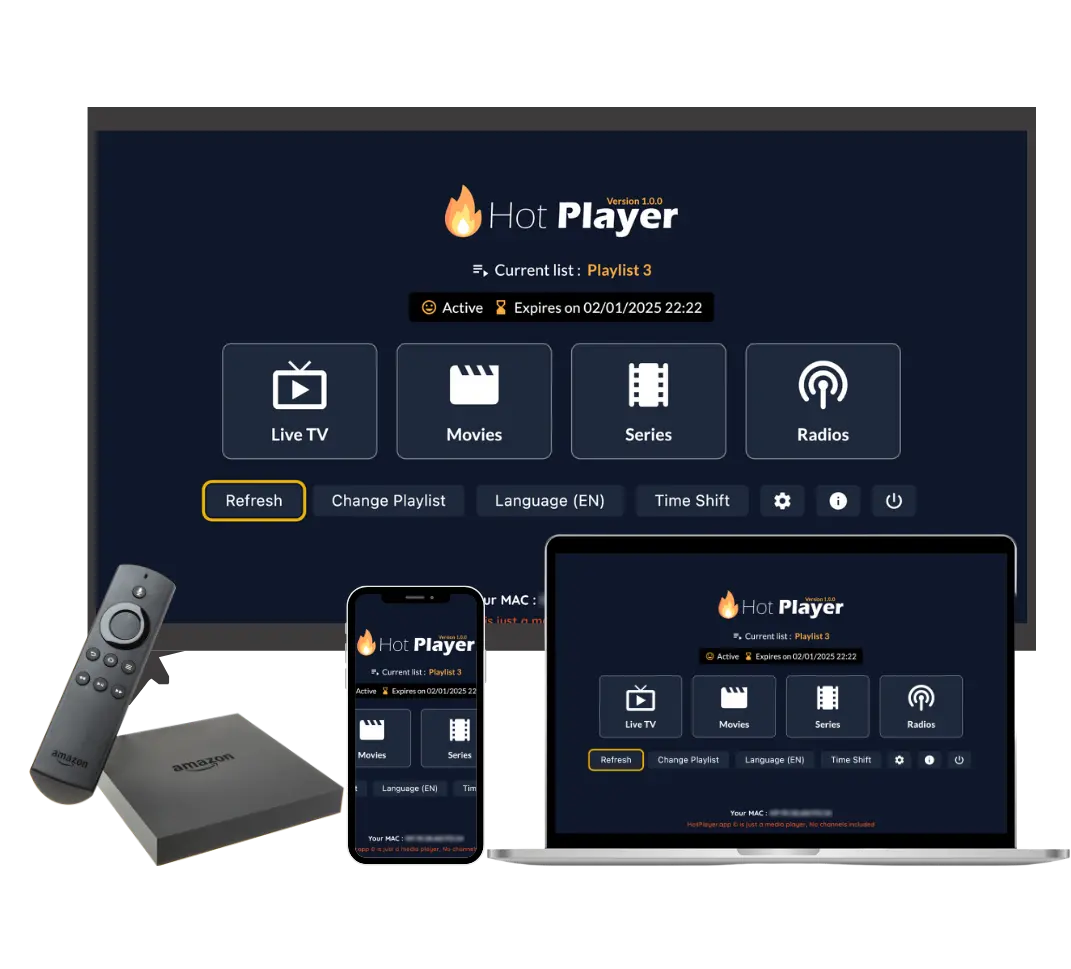
If you've installed HotPlayer on your device, you may have noticed that the app is empty with no channels or content. This is completely normal! HotPlayer is a free IPTV player app, but to watch TV shows, movies, and live channels, you need to purchase an IPTV playlist subscription.
This comprehensive guide will explain everything you need to know about buying an IPTV playlist for HotPlayer, including available subscription plans, pricing, features, and how to complete your purchase.
Understanding the Difference: HotPlayer App vs IPTV Service
This is the most important concept to understand:
HotPlayer App (FREE)
- Free to download from app stores (Google Play, App Store, etc.)
- Just a media player application
- Does NOT include any channels, movies, or content
- Think of it like VLC or any media player - it's the tool you use
- Works on all devices: Firestick, Android, iOS, Smart TVs, Windows, etc.
IPTV Playlist Service (PAID SUBSCRIPTION)
- Paid subscription service that provides the playlist
- Contains 25,000+ live TV channels
- Includes 100,000+ VOD (Video on Demand) titles
- Provides credentials (URL, username, password) to access content
- You add this playlist to HotPlayer to watch content
Key Point: HotPlayer app = Free player (like VLC). Our IPTV service = Paid subscription that provides the playlist with all the content. You need BOTH to watch TV - the free app AND the paid subscription.
What is an IPTV Playlist?
An IPTV playlist is essentially a directory or catalog that tells HotPlayer where to find and how to access all the channels and content. When you subscribe to our IPTV service, you receive:
What's Included in Your Playlist:
- Playlist URL (M3U URL): A web link that points to your playlist. HotPlayer downloads the playlist from this URL.
- Username & Password: Credentials to authenticate and access your subscription
- Server URL: For Xtream Codes API method (alternative to M3U URL)
- Access to 25,000+ Channels: Live TV channels from around the world
- Access to 100,000+ VOD Titles: Movies, TV series, and on-demand content
The playlist itself is just data - it's the "menu" that tells HotPlayer what content is available. When you add the playlist to HotPlayer, the app downloads this information and displays all available channels and content.
Why Do You Need to Buy an IPTV Playlist?
Without purchasing an IPTV playlist subscription, HotPlayer will remain empty. Here's why you need to buy a playlist:
1. HotPlayer Has No Built-in Content
HotPlayer is just a player app - it doesn't include any channels or content. It's like an empty TV that needs a signal to display anything.
2. You Need Access to Content Servers
The IPTV playlist provides access to our content servers where all the channels and movies are hosted. Without a subscription, you can't access these servers.
3. Legal and Licensed Content
Our IPTV service provides fully licensed, legal content. By subscribing, you're supporting legitimate content distribution and ensuring you have access to quality, reliable streams.
4. Premium Quality and Reliability
Subscribing to our service ensures you get 99.9% uptime, HD/4K quality streams, anti-freeze technology, and 24/7 support - features you won't get with free or illegal sources.
IPTV Subscription Plans & Pricing
We offer flexible subscription plans designed to meet different needs and budgets. All plans include the same premium content - the only difference is the subscription duration and number of devices:
Available Subscription Plans:
1 Month Plan
Perfect for trying the service or short-term entertainment needs.
3 Months Plan
Great value for entertainment enthusiasts. Better savings than monthly plan.
6 Months Plan
Great value for long-term subscribers. Significant savings compared to monthly.
12 Months Plan
Best SellerBest value! Saves up to $120 compared to monthly pricing. Essentially 6 months free.
Important: All plans include the same content (25,000+ channels, 100,000+ VODs). The only difference is subscription duration and number of simultaneous device connections. Longer plans offer better value and savings.
What You Get with Your Subscription
Every subscription plan includes the same premium features and content:
Included Features:
- 25,000+ TV Channels - Live channels from around the world
- 100,000+ VOD & Series - Movies and TV shows on demand
- 4K, FHD, HD & SD Quality - Multiple quality options
- Premium Channels - Access to premium content
- Anti-Freeze Technology - Smooth streaming without buffering
- TV Guide (EPG) - Electronic Program Guide
- 99.9% Uptime Guarantee - Reliable service
- 24/7 Support - Customer support always available
- All Devices Compatibility - Works on all devices
- Instant Activation - Start streaming immediately
No Tiered Content: Unlike some services, we don't offer "basic" and "premium" tiers. Every subscription plan gives you access to ALL content - 25,000+ channels and 100,000+ VOD titles, regardless of which plan you choose.
How to Buy IPTV Playlist for HotPlayer
Purchasing an IPTV playlist subscription is straightforward. Here's the step-by-step process:
Step-by-Step Purchase Process:
- Visit Our Packages Page:
- Go to our packages page
- You'll see all available subscription plans
- Choose Your Plan:
- Select subscription duration (1, 3, 6, or 12 months)
- Choose number of devices (1, 2, or 3 simultaneous connections)
- Review the pricing for your selected options
- Click "Get Plan" Button:
- Click the "Get Plan" button on your chosen plan
- You'll be redirected to the checkout page
- Complete Checkout:
- Fill in your personal information (name, email, etc.)
- Review your selected plan and pricing
- Choose your payment method
- Complete the payment process
- Receive Confirmation:
- You'll receive a confirmation email
- Your subscription will be activated instantly
- Playlist credentials will be sent to your email
Quick Purchase Link:
Ready to buy? Visit our packages page to see all plans and pricing:
View Packages & PricingWhat Happens After Purchase
Once you complete your purchase, here's what happens:
Immediate Actions:
- Instant Activation:
- Your subscription is activated immediately after payment
- No waiting period - you can start using it right away
- Confirmation Email:
- You'll receive a confirmation email with your order details
- This email contains your subscription information
- Playlist Credentials Email:
- You'll receive a separate email with your playlist credentials
- This includes: Playlist URL (M3U URL), Username, Password, Server URL (for Xtream Codes)
- Keep this email safe - you'll need these credentials to add the playlist to HotPlayer
- Thank You Page:
- After checkout, you'll see a thank you page
- This page confirms your order and provides next steps
Important: Check your email (including spam folder) for the playlist credentials. If you don't receive the email within a few minutes, contact our support team immediately.
Adding Your Playlist to HotPlayer
After receiving your playlist credentials, you need to add them to HotPlayer. Here's how:
Three Methods to Add Playlist:
Method 1: M3U URL (Recommended)
- Open HotPlayer app on your device
- Go to Settings → Playlist → Add Playlist
- Select "Add URL" or "M3U URL"
- Paste the playlist URL from your email
- Tap "Save" or "Load"
- Wait for playlist to download (1-5 minutes)
Advantage: Automatically updates whenever you open the app.
Method 2: Upload M3U File
- Download the M3U file from your email (if provided)
- Open HotPlayer → Settings → Playlist → Import File
- Select the M3U file from your device
- Wait for import to complete
Note: File method requires manual updates if new channels are added.
Method 3: Xtream Codes API
- Open HotPlayer app
- Go to Settings → Xtream Codes or API
- Enter Server URL, Username, and Password from your email
- Tap "Test Connection" to verify
- Tap "Save" and wait for channels to load
Advantage: Faster loading and better integration features.
Need Help? If you need assistance adding your playlist to HotPlayer, our 24/7 support team is ready to help. Visit our contact page or check our playlist upload guide.
Payment Methods
We accept various payment methods for your convenience:
Accepted Payment Methods:
- Credit/Debit Cards: Visa, Mastercard, American Express
- PayPal: Secure PayPal payments
- Cryptocurrency: Bitcoin and other cryptocurrencies (if available)
- Other Methods: Additional payment options may be available at checkout
Secure Payment: All payments are processed through secure, encrypted payment gateways. We never store your full payment information on our servers.
Value Comparison
Let's compare our IPTV service pricing to traditional entertainment options:
| Service | Monthly Cost | Annual Cost | Content |
|---|---|---|---|
| Cable TV (Basic) | $50-100+ | $600-1,200+ | Limited channels |
| Streaming Services (Netflix, Hulu, etc.) | $15-20 each | $180-240+ | Limited to their library |
| Our IPTV Service (12-month plan) | $5/month | $59.99 | 25,000+ channels, 100,000+ VODs |
Value Verdict: Our IPTV service provides significantly more content at a fraction of the cost of traditional cable or multiple streaming services. The 12-month plan offers the best value, essentially costing less than $5 per month.
Frequently Asked Questions
Q: Is HotPlayer app free?
A: Yes, HotPlayer app is completely free to download from app stores. However, you need to purchase an IPTV playlist subscription to access channels and content.
Q: Do I need to buy a playlist if I have HotPlayer?
A: Yes, HotPlayer is just a player app with no content. You must purchase an IPTV playlist subscription to get channels and movies.
Q: What's the difference between plans?
A: All plans include the same content. The difference is subscription duration (1, 3, 6, or 12 months) and number of simultaneous device connections (1, 2, or 3). Longer plans offer better value.
Q: When will I receive my playlist credentials?
A: You'll receive your playlist credentials via email immediately after purchase, usually within minutes. Check your spam folder if you don't see it.
Q: Can I use the playlist on multiple devices?
A: Yes, depending on your plan. You can choose 1, 2, or 3 simultaneous device connections. You can use the same playlist credentials on multiple devices up to your connection limit.
Q: Is there a free trial?
A: Yes! We offer a 24-hour free trial with every subscription. This allows you to test the service before committing to a longer plan.
Q: What payment methods do you accept?
A: We accept credit/debit cards, PayPal, and cryptocurrency. All payments are processed through secure, encrypted payment gateways.
Q: Can I cancel my subscription?
A: Subscriptions are for the selected duration (1, 3, 6, or 12 months). They don't auto-renew, so you're not locked into recurring payments. Contact support for refund policies.
Conclusion
Buying an IPTV playlist for HotPlayer is essential to access content. Remember:
- HotPlayer app is free - download it from app stores
- IPTV playlist requires a paid subscription - this provides the content
- You need both - the free app AND the paid subscription to watch TV
- All plans include the same content - 25,000+ channels and 100,000+ VODs
- Longer plans offer better value - 12-month plan saves up to $120
- Instant activation - start streaming immediately after purchase
Our IPTV service provides exceptional value compared to traditional cable or streaming services. With transparent pricing, no hidden fees, and premium content, it's the perfect complement to the free HotPlayer app. Ready to get started? Visit our packages page to choose your plan and start streaming today!
Ready to Buy Your IPTV Playlist?
Choose from our flexible subscription plans and start streaming 25,000+ channels and 100,000+ VOD titles on HotPlayer today!